How to Get an Invite Link for Your Event or Suite
Sharing your miingl event or suite is simple once you know where to find the invite link. This guide walks you through how to copy and share your URL so people can join easily.
When You’d Use an Invite Link
Invite links are commonly used to:
Share your event on social media
Add to calendar invites
Send directly to participants
Post on your website or landing page
Share a suite with your team or clients
Step 1: Log Into Your miingl Account
Go to miingl.com or app.miingl.com and sign in using the account that hosts the event or suite.
Step 2: Go to “My Events” or "My Suites"
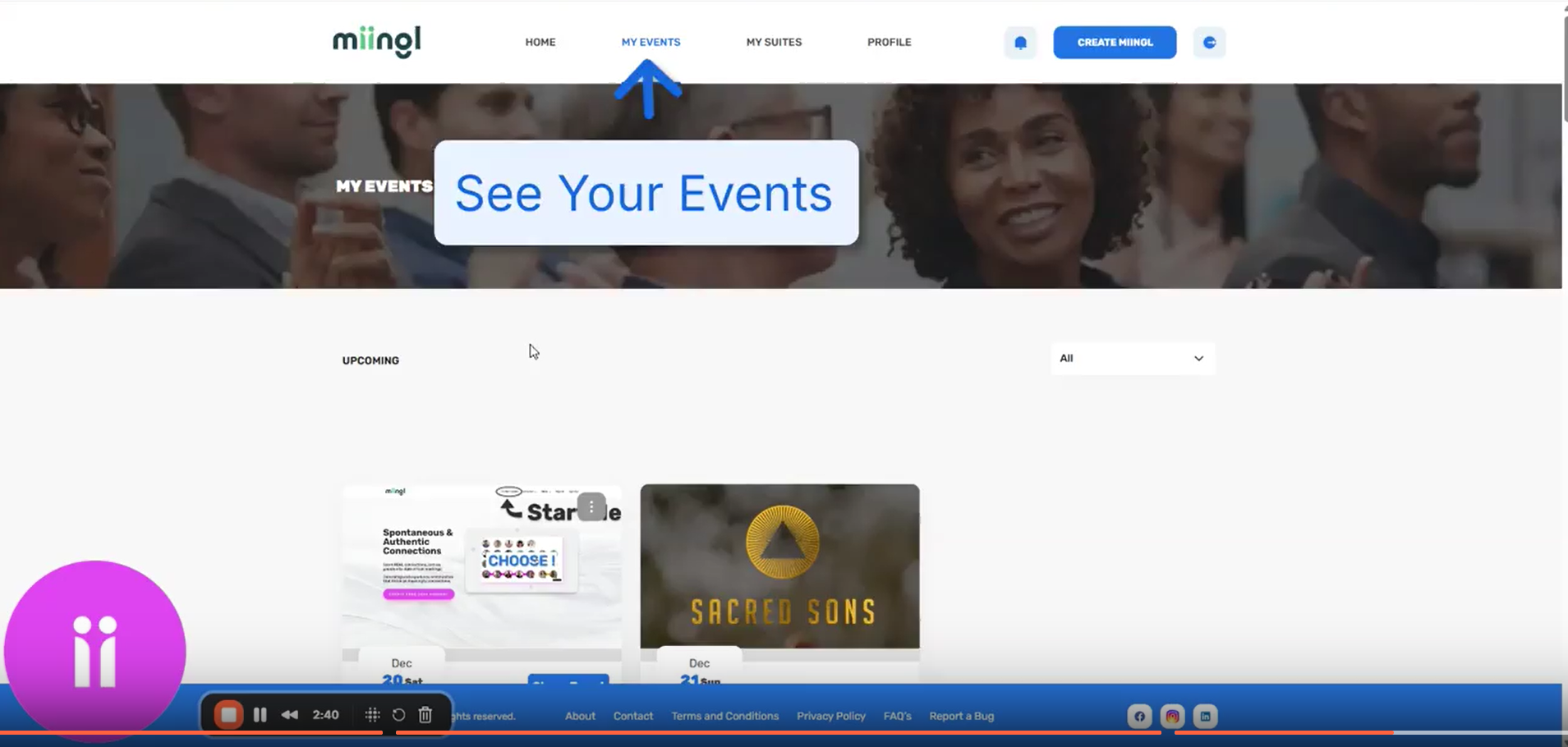
Once logged in:
Navigate to My Events or My Suites from your dashboard
Scroll to find the event or suite you want to share
Step 3: Copy the Event Link
Next to your event:
Click the three dots on the event card
Select Copy Invite Link
Click Copy Link Button
The event URL is now copied to your clipboard.
Step 4: Share the Link
You can paste the link anywhere you invite people, including:
Facebook or LinkedIn event pages
Calendar invites
Email invitations
Your website or landing page
Anyone with the link can request to join or enter the event based on your event’s settings.
Getting a Suite Invite Link (Optional)
If you want to share a suite instead of an event:
Go to My Suites
Find the suite you host
Click the three dots
Select Copy Invite Link
This works the same way as event links and is great for team suites, client meetings, or always-on digital offices.

Pro Tip
For frequently shared suites, consider using a custom URL (for example:
app.miingl.com/yourname) to make inviting people even easier.
Prefer to Watch Instead?
You can follow along with the full walkthrough video here:
Where to Go Next
Related Articles
Setting Up Your miingl Workshop or Event Space
Intro This article explains how to set up a workshop or event space on miingl, from creating the event to inviting participants and tracking attendance. What You’ll Learn in This Article By the end of this guide, you’ll know how to: Create a new ...How to Get the Event Details Link for Ticketed Events
Ticketed events on miingl use a public event details page where attendees can learn about the event and purchase tickets. This guide shows you how to find and share that link. This is different from an invite link. For ticketed events, the event ...Hosting Your First Workshop or Event on miingl
Intro This article explains how to start and host your first workshop or event on miingl, including accessing your event, using host controls, managing participants, and ending the event. What You’ll Learn in This Article By the end of this guide, ...How to Clone an Event on miingl
Cloning an event lets you quickly recreate a past event without starting from scratch. This is especially helpful for recurring workshops, repeated sessions, or events you plan to run again with minor updates. Important to Know Before You Start Only ...Inviting Speakers, Co-Hosts and Guests to Your miingl Event
Intro This article explains how to invite speakers, guests, and co-hosts to your miingl event, both during event creation and after your event has already been created. What You’ll Learn in This Article By the end of this guide, you’ll know how to: ...